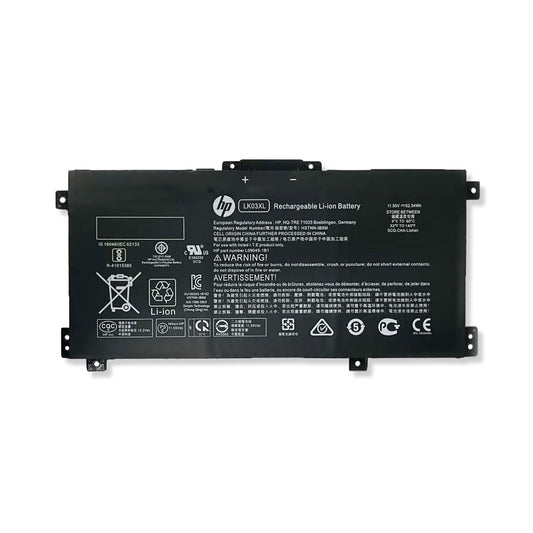
Frequently Asked Questions About Replace Laptop Batteries
Is it worth replacing the battery in a laptop?
When replace a laptop replacement battery is worth it
- Your laptop still runs well
If it’s fast enough for what you do (work, browsing, light design, coding), a new replacement battery can give it a whole second life.
- Battery is the main problem
Symptoms like dying at 20%, not charging past 60–70%, or lasting under an hour are classic battery wear—not a dead laptop.
- Cost vs. replacement makes sense
A quality replacement battery usually costs $40–$120, while a new laptop is $700+. The ROI is obvious.
- You want portability again
A fresh battery restores the whole “laptop” part of a laptop—no wall-hugging required.
When it might not be worth it
- Laptop is very old (8–10+ years)
If the CPU, RAM, or storage is already struggling badly, a battery won’t fix overall performance.
- Battery is extremely expensive or hard to source
Some ultra-thin or discontinued models have pricey or unreliable battery options.
- Other major hardware issues
Failing motherboard, GPU problems, or overheating = money better spent on a new machine.
A simple rule of thumb
If a new battery costs less than ~25–30% of a comparable new laptop and the machine still meets your needs, replace the battery.
Bonus tip (people overlook this)
A genuine or high-quality OEM-compatible battery matters. Cheap no-name batteries often:
- Have lower real capacity
- Degrade fast
- Cause charging or heat issues
Spending a little more usually saves you money long-term.
Can I replace my laptop battery myself?
Yes—in many cases, you can replace your laptop battery yourself, as long as the model is designed for user access and you’re comfortable doing some light DIY.
If the battery model you purchased requires tools for replacement, we will also provide the tools for free. In case you replace don't success, we will offer free remote support.
Basic replacement steps
- Power off the laptop and unplug it
- Remove the bottom cover
- Disconnect the old battery
- Unscrew and remove it
- Install the new battery and reconnect
- Close the cover and power on
That’s it—no special software required.
Do I need to charge my laptop battery when I receive it?
Yes, you do. The battery you purchased are shipped in a discharged condition. There are shipping regulations in place that require the batteries have a charge state of 30% or less. We recommend that you fully charge and discharge the new battery two to four times to allow it to reach its maximum rated capacity after you first install it.
How long does a laptop battery typically last?
Most computer laptop batteries last five years,which depend on your usage habits and environmental conditions. If your laptop shuts down quickly and won’t hold a charge, only works when plugged in, or if the battery shows physical signs of damage, it’s likely time for a computer battery replacement.
What drains the most battery on a laptop?
The fastest laptop battery drain comes from high screen brightness, heavy apps like video games and editing software, background processes like unclosed tabs and apps, having Bluetooth on in the background, and high-performance settings. Anything pushing your hardware heavily drains power quickly.
Should I leave my laptop plugged in all the time?
Leaving your device plugged in constantly can contribute to long-term battery wear. For optimal battery health, it’s best to allow your battery to discharge occasionally and then recharge it, rather than keeping it at 100% at all times. Consider unplugging your laptop periodically to allow the battery to cycle naturally. This practice can help extend the overall lifespan of your laptop battery and maintain consistent performance.