


ACCESSORIES-MALL
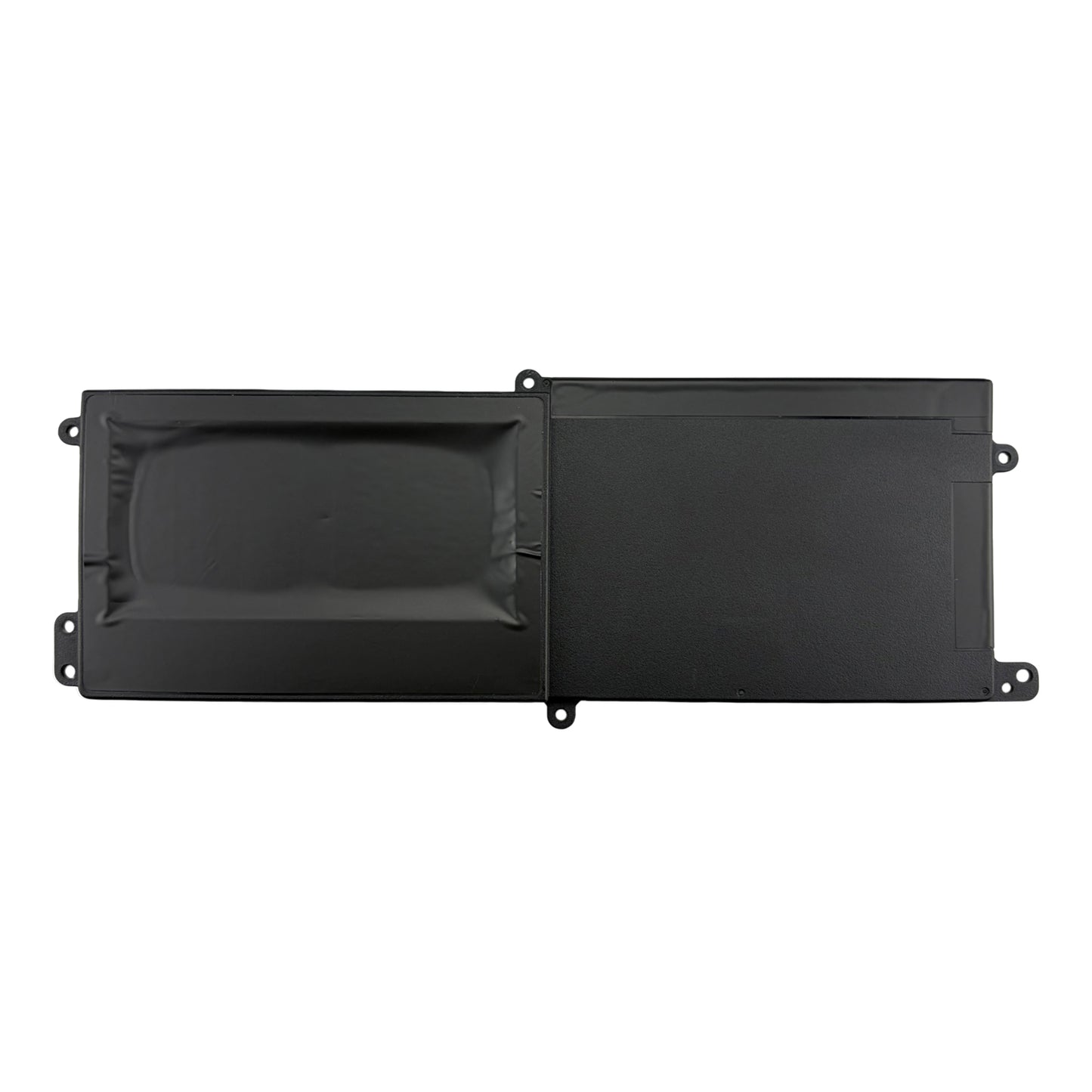
New 90Wh 11.4V Battery Replacement for Alienware Area‑51m Laptop (Dell 7PWKV, KJYFY, DT9XG)
New 90Wh 11.4V Battery Replacement for Alienware Area‑51m Laptop (Dell 7PWKV, KJYFY, DT9XG)
Couldn't load pickup availability


90Wh 7PWKV / KJYFY / DT9XG vs. Generic: How to Choose the Right Replacement Battery for Your Alienware Area‑51m
If you have an Alienware Area‑51m, you know it’s a powerful laptop. It’s famous for being an “upgradeable desktop replacement.” It’s big, it’s bold, and it churns through AAA games, VR, and content creation like nothing else. But when the original battery starts to fade, that portable powerhouse turns into a wall-hugging paperweight.
When replacing your Alienware Area‑51m battery (90Wh, 11.4V, part numbers 7PWKV, KJYFY, or DT9XG), you have three choices. You can pay the Dell/Alienware OEM premium or gamble on a cheap generic. You can also look for a genuine-spec replacement. It can give you the same performance without the high price.
This guide explains the 90Wh battery for the Alienware Area‑51m. It shows what makes it special. It explains why capacity and voltage matter. Plus, it tells you which option lets you game without being plugged in.
What Exactly Is the Alienware Area‑51m 90Wh Battery?
The Area‑51m uses a high‑capacity lithium‑ion battery (part numbers 7PWKV, KJYFY, DT9XG) rated at 90 watt‑hours and 11.4V. Unlike thinner gaming laptops, the Area‑51m has room for a larger pack, giving you more runtime when you’re not plugged in. This battery is built to feed the desktop‑grade Intel Core i7/i9 processors and NVIDIA GeForce RTX graphics that can draw well over 150W combined.
| Specification | Value |
|---|---|
| Model / Part Numbers | 7PWKV, KJYFY, DT9XG |
| Compatible Model | Alienware Area‑51m (all variants: R1, R2) |
| Replace Part Numbers: |
Dell
3ICP7/54/64-2, 07PWKV, 7PWKV, 07PWXV, DT9XG, KJYFY, P38E, P38E001
|
| Fit Laptop Models: |
Dell
Alienware Area-51m, Alienware AREA-51M ALWA51M-1766PB, Alienware AREA-51M ALWA51M-2966W, Alienware Area-51m ALWA51M-D1969DB, Alienware Area-51m i9-9900K RTX 2080, Alienware Area 51m ALWA51M-D1733B, Alienware Area 51m ALWA51M-D1733PB, Alienware Area 51m ALWA51M-D1735DB, Alienware Area 51m ALWA51M-D1741DB, Alienware Area 51m ALWA51M-D1746B, Alienware Area 51m ALWA51M-D1746W, Alienware Area 51m ALWA51M-D1748DB, Alienware Area 51m ALWA51M-D1748DW, Alienware Area 51m ALWA51M-D1766B, Alienware Area 51m ALWA51M-D1766PB, Alienware Area 51m ALWA51M-D1766PW, Alienware Area 51m ALWA51M-D1766W, Alienware Area 51m ALWA51M-D1968B, Alienware Area 51m ALWA51M-D1968W, Alienware Area 51m ALWA51M-D1969PW, ALWA51M-D1733B, ALWA51M-D1733PB, ALWA51M-D1735DB, ALWA51M-D1746B, ALWA51M-D1746W, ALWA51M-D1748DB, ALWA51M-D1748DW, ALWA51M-D1766B, ALWA51M-D1766PB, ALWA51M-D1766PW, ALWA51M-D1766W, ALWA51M-D1968B, ALWA51M-D1968W, ALWA51M-D1969DB, ALWA51M-D1969PW, Area-51m
|
| Capacity | 90 WHr (watt‑hours) |
| Voltage | 11.4 V nominal |
| Chemistry | Lithium‑ion (high‑density, high‑discharge cells) |
| Safety Features | Over‑charge, over‑discharge, short‑circuit protection, temperature monitoring |
A healthy Area‑51m battery means you can actually use your laptop for light gaming or productivity away from your desk – not just stare at a black screen when unplugged.
90Wh – Why High Capacity Matters for This Desktop Replacement
The Area‑51m is not an ultraportable, but a 90Wh battery is still substantial. Compared to many gaming laptops with 60–70Wh packs, this extra capacity gives you:
-
More flexibility – enough to watch a movie, browse, or play lighter titles on battery.
-
Better productivity – get through meetings, coding sessions, or content review without hunting for an outlet.
-
Desktop replacement usability – the Area‑51m is meant to be plugged in most of the time, but a healthy battery means you can move it from room to room without instantly dying.
A generic battery that claims 90Wh but actually delivers 50–60Wh will leave you frustrated.
Genuine‑Spec vs. OEM vs. Generic: What’s Actually Different?
Not every battery that “fits” your Area‑51m behaves the same. Here’s what separates a reliable replacement from one that will ruin your gaming session.
| Factor | Genuine‑Spec Replacement (90Wh) | OEM (Dell/Alienware Original) | Typical Generic / No‑Name |
|---|---|---|---|
| Cell Quality | OEM‑matched high‑discharge cells (LG / Samsung / Murata grade) | Original manufacturer cells | Unknown or low‑grade cells; can’t sustain gaming loads |
| Capacity | True 90Wh, consistent with original | 90Wh | Often under‑rated; actual may be 50–60Wh |
| Discharge Rate | Supports high current for CPU+GPU under load | Supports full load | Voltage sags under load → FPS drops, stuttering, or shutdowns |
| Protection Circuit | Full PCM with cell balancing, over‑voltage, over‑current, short‑circuit, temperature protection | Full protection | Minimal or missing protection; higher risk of swelling or failure |
| BIOS / EC Communication | Accurate fuel gauge; Alienware Command Center shows true health | Accurate | May fail to communicate; laptop may not charge or show incorrect percentage |
| Physical Fit | Exact fit; connector aligns perfectly | Exact fit | May be slightly off; connector may not seat fully |
| Charging Behavior | Supports Alienware fast charging | Supports fast charging | May overheat, charge slowly, or stop charging prematurely |
| Longevity | 400–500 cycles while maintaining >80% capacity | 400–500 cycles | Often fails within 6–12 months |
| Price | Moderate (sweet spot) | Highest (often 2×) | Lowest but highest risk |
Critical for Area‑51m owners
The Area‑51m draws massive power when gaming. A cheap generic battery will sag under that load, causing frame rate drops, input lag, stuttering, or sudden shutdowns exactly when you’re about to clutch. Saving $30 on a battery isn’t worth losing your rank.
What Realistic Runtime Can You Expect?
Let’s be honest: the Area‑51m is not designed for long battery gaming. But a healthy 90Wh battery gives you usable time for other tasks.
| Workload | Expected Runtime |
|---|---|
| Light productivity (web, Office, email) | 4–6 hours |
| Video streaming (Netflix, YouTube) | 3–5 hours |
| Light gaming (indie, older titles, lower settings) | 1.5–2.5 hours |
| AAA gaming (Cyberpunk, Call of Duty) on battery | 45–90 minutes (performance will be reduced) |
On battery, the system automatically lowers power limits. A genuine‑spec battery delivers the maximum possible runtime – a generic with lower actual capacity will die much faster.
One Battery vs. Spare: What’s the Real Need?
The Area‑51m battery is internal (though removable on some models – check your chassis). You’re replacing the aging battery, not carrying a spare. But the choice of what you install matters.
| Situation | Cheap Generic | Genuine‑Spec Replacement |
|---|---|---|
| You use the Area‑51m for gaming on battery occasionally | Risky; likely to throttle or shut down mid‑game | ✔ Stable performance for lighter gaming sessions |
| You travel with the laptop for work or LAN parties | Unreliable; could die during a flight or between matches | ✔ Dependable runtime for productivity and travel |
| You plan to keep the Area‑51m for another 2–3 years | Will likely need another replacement within a year | ✔ One replacement covers the rest of the laptop’s useful life |
| You’re selling the laptop | A generic signals “cheap repair” to a buyer | ✔ A genuine‑spec replacement adds resale value |
| You mostly game plugged in (as most do) | Might be acceptable if you don’t care about battery life | ✔ Still better long‑term value and safety |
For any Area‑51m owner who ever uses their laptop unplugged – even occasionally – the extra cost of a genuine‑spec battery pays for itself the first time you finish a work session without a crash.
How to Identify a Reliable Replacement
Based on feedback from Alienware communities and repair shops, here are three things to look for when buying an Area‑51m battery:
-
Exact Part Number Match
The battery should clearly list 7PWKV, KJYFY, or DT9XG. If it says “fits Area‑51m” but doesn’t include these numbers, it’s likely a generic with unknown internals. -
Built‑in Safety Protection
Ensure the battery includes a PCM (protection circuit module) with over‑voltage, under‑voltage, short‑circuit, and temperature protection. This is critical for high‑power laptops. -
Fresh Stock & Warranty
Lithium‑ion cells degrade even when unused. A trustworthy supplier will provide a manufacturing date (or guarantee freshness within the last 12 months) and offer a 12‑18 month warranty. Avoid sellers who can’t provide these details.
What Does a Genuine Alienware Area‑51m Battery Cost?
Pricing varies significantly based on source and authenticity.
| Source | Typical Price Range (USD) | What You Get |
|---|---|---|
| OEM (Dell/Alienware direct) | $130 – $200 | Genuine, but with full retail markup |
| Third‑party “Compatible” | $40 – $70 | Unknown low‑grade cells; likely throttles under load; short lifespan |
| Genuine‑Spec Replacement (This Battery) | $70 – $100 | OEM‑matched high‑discharge cells, true 90Wh, full protection circuit, exact compatibility, warranty |
The genuine‑spec replacement is the sweet spot: the same internal quality as the Alienware original, sold without the inflated brand markup. You avoid the gamble of a generic without paying the premium OEM price.
Frequently Asked Questions
Q: Will this battery work with my Alienware Area‑51m (R1 or R2)?
Yes. This battery (compatible with 7PWKV, KJYFY, DT9XG) is designed for the Alienware Area‑51m R1 and R2. Check your current battery label – if it matches any of these numbers, this is the direct replacement.
Q: How do I know if my current battery needs replacement?
Common signs:
-
The laptop shuts down under gaming load even when the battery indicator shows remaining charge
-
Battery percentage jumps erratically (e.g., 70% to 5% instantly)
-
Alienware Command Center reports “battery health is poor” or “consider replacement”
-
The battery takes much longer to charge than before
-
Physical swelling (you may notice the bottom case bulging)
If your battery is more than 2–3 years old or has seen heavy daily use, it’s likely time.
Q: Can I install the battery myself?
Yes, but it requires opening the laptop. The Area‑51m has a removable bottom cover. Disconnect the battery cable (use a plastic tool), remove the old battery (held by screws), install the new one, and reconnect. If you’re comfortable with basic laptop repair, it’s a 10‑minute job. If not, a repair shop can do it quickly. Always power down and disconnect the charger first.
Q: Will a third‑party battery affect gaming performance?
Absolutely, if it’s a cheap generic. The Area‑51m draws massive current. A generic battery may not sustain that current, causing:
-
FPS drops and stuttering
-
Input lag
-
Unexpected system shutdowns
-
Throttling even on battery saver mode
A genuine‑spec replacement maintains stable voltage for consistent performance.
Q: Will a third‑party battery void my Dell/Alienware warranty?
No. In most regions (including the US, under the Magnuson‑Moss Warranty Act), using a third‑party replacement part does not void the warranty unless the part itself caused damage. If your Area‑51m is still under warranty, keep the original battery in case service is needed.
Q: How long does a full charge last for gaming?
It depends on the game and settings. For light gaming at lower settings, you might get 1.5–2.5 hours. For AAA titles, expect 45–90 minutes. On battery, the system automatically reduces performance. This battery meets the original runtime specifications – a generic with lower actual capacity will deliver significantly less.
Q: Is it safe to buy a third‑party Area‑51m battery?
Yes, if it’s a genuine‑spec replacement. The key is to verify:
-
OEM‑matched high‑discharge cells
-
True 90Wh capacity
-
Built‑in protection circuit
-
Warranty and fresh stock
Avoid sellers who can’t confirm these details or whose prices are suspiciously low – those are often the batteries that cause throttling, swelling, or failure within months.
Ready to Get Your Area‑51m Back to Untethered Power?
Don’t let a worn‑out battery keep your desktop replacement tethered to a wall. This genuine‑spec 90Wh replacement gives you the same stable power, safety, and capacity as the original – at a price that makes replacing an aging battery a smart investment.
Click ‘Add to Cart’ – and get back to gaming where you want, not just where there’s an outlet.


90Wh 7PWKV / KJYFY / DT9XG vs. Generic: How to Choose the Right Replacement Battery for Your Alienware Area‑51m
If you have an Alienware Area‑51m, you know it’s a powerful laptop. It’s famous for being an “upgradeable desktop replacement.” It’s big, it’s bold, and it churns through AAA games, VR, and content creation like nothing else. But when the original battery starts to fade, that portable powerhouse turns into a wall-hugging paperweight.
When replacing your Alienware Area‑51m battery (90Wh, 11.4V, part numbers 7PWKV, KJYFY, or DT9XG), you have three choices. You can pay the Dell/Alienware OEM premium or gamble on a cheap generic. You can also look for a genuine-spec replacement. It can give you the same performance without the high price.
This guide explains the 90Wh battery for the Alienware Area‑51m. It shows what makes it special. It explains why capacity and voltage matter. Plus, it tells you which option lets you game without being plugged in.
What Exactly Is the Alienware Area‑51m 90Wh Battery?
The Area‑51m uses a high‑capacity lithium‑ion battery (part numbers 7PWKV, KJYFY, DT9XG) rated at 90 watt‑hours and 11.4V. Unlike thinner gaming laptops, the Area‑51m has room for a larger pack, giving you more runtime when you’re not plugged in. This battery is built to feed the desktop‑grade Intel Core i7/i9 processors and NVIDIA GeForce RTX graphics that can draw well over 150W combined.
| Specification | Value |
|---|---|
| Model / Part Numbers | 7PWKV, KJYFY, DT9XG |
| Compatible Model | Alienware Area‑51m (all variants: R1, R2) |
| Replace Part Numbers: |
Dell
3ICP7/54/64-2, 07PWKV, 7PWKV, 07PWXV, DT9XG, KJYFY, P38E, P38E001
|
| Fit Laptop Models: |
Dell
Alienware Area-51m, Alienware AREA-51M ALWA51M-1766PB, Alienware AREA-51M ALWA51M-2966W, Alienware Area-51m ALWA51M-D1969DB, Alienware Area-51m i9-9900K RTX 2080, Alienware Area 51m ALWA51M-D1733B, Alienware Area 51m ALWA51M-D1733PB, Alienware Area 51m ALWA51M-D1735DB, Alienware Area 51m ALWA51M-D1741DB, Alienware Area 51m ALWA51M-D1746B, Alienware Area 51m ALWA51M-D1746W, Alienware Area 51m ALWA51M-D1748DB, Alienware Area 51m ALWA51M-D1748DW, Alienware Area 51m ALWA51M-D1766B, Alienware Area 51m ALWA51M-D1766PB, Alienware Area 51m ALWA51M-D1766PW, Alienware Area 51m ALWA51M-D1766W, Alienware Area 51m ALWA51M-D1968B, Alienware Area 51m ALWA51M-D1968W, Alienware Area 51m ALWA51M-D1969PW, ALWA51M-D1733B, ALWA51M-D1733PB, ALWA51M-D1735DB, ALWA51M-D1746B, ALWA51M-D1746W, ALWA51M-D1748DB, ALWA51M-D1748DW, ALWA51M-D1766B, ALWA51M-D1766PB, ALWA51M-D1766PW, ALWA51M-D1766W, ALWA51M-D1968B, ALWA51M-D1968W, ALWA51M-D1969DB, ALWA51M-D1969PW, Area-51m
|
| Capacity | 90 WHr (watt‑hours) |
| Voltage | 11.4 V nominal |
| Chemistry | Lithium‑ion (high‑density, high‑discharge cells) |
| Safety Features | Over‑charge, over‑discharge, short‑circuit protection, temperature monitoring |
A healthy Area‑51m battery means you can actually use your laptop for light gaming or productivity away from your desk – not just stare at a black screen when unplugged.
90Wh – Why High Capacity Matters for This Desktop Replacement
The Area‑51m is not an ultraportable, but a 90Wh battery is still substantial. Compared to many gaming laptops with 60–70Wh packs, this extra capacity gives you:
-
More flexibility – enough to watch a movie, browse, or play lighter titles on battery.
-
Better productivity – get through meetings, coding sessions, or content review without hunting for an outlet.
-
Desktop replacement usability – the Area‑51m is meant to be plugged in most of the time, but a healthy battery means you can move it from room to room without instantly dying.
A generic battery that claims 90Wh but actually delivers 50–60Wh will leave you frustrated.
Genuine‑Spec vs. OEM vs. Generic: What’s Actually Different?
Not every battery that “fits” your Area‑51m behaves the same. Here’s what separates a reliable replacement from one that will ruin your gaming session.
| Factor | Genuine‑Spec Replacement (90Wh) | OEM (Dell/Alienware Original) | Typical Generic / No‑Name |
|---|---|---|---|
| Cell Quality | OEM‑matched high‑discharge cells (LG / Samsung / Murata grade) | Original manufacturer cells | Unknown or low‑grade cells; can’t sustain gaming loads |
| Capacity | True 90Wh, consistent with original | 90Wh | Often under‑rated; actual may be 50–60Wh |
| Discharge Rate | Supports high current for CPU+GPU under load | Supports full load | Voltage sags under load → FPS drops, stuttering, or shutdowns |
| Protection Circuit | Full PCM with cell balancing, over‑voltage, over‑current, short‑circuit, temperature protection | Full protection | Minimal or missing protection; higher risk of swelling or failure |
| BIOS / EC Communication | Accurate fuel gauge; Alienware Command Center shows true health | Accurate | May fail to communicate; laptop may not charge or show incorrect percentage |
| Physical Fit | Exact fit; connector aligns perfectly | Exact fit | May be slightly off; connector may not seat fully |
| Charging Behavior | Supports Alienware fast charging | Supports fast charging | May overheat, charge slowly, or stop charging prematurely |
| Longevity | 400–500 cycles while maintaining >80% capacity | 400–500 cycles | Often fails within 6–12 months |
| Price | Moderate (sweet spot) | Highest (often 2×) | Lowest but highest risk |
Critical for Area‑51m owners
The Area‑51m draws massive power when gaming. A cheap generic battery will sag under that load, causing frame rate drops, input lag, stuttering, or sudden shutdowns exactly when you’re about to clutch. Saving $30 on a battery isn’t worth losing your rank.
What Realistic Runtime Can You Expect?
Let’s be honest: the Area‑51m is not designed for long battery gaming. But a healthy 90Wh battery gives you usable time for other tasks.
| Workload | Expected Runtime |
|---|---|
| Light productivity (web, Office, email) | 4–6 hours |
| Video streaming (Netflix, YouTube) | 3–5 hours |
| Light gaming (indie, older titles, lower settings) | 1.5–2.5 hours |
| AAA gaming (Cyberpunk, Call of Duty) on battery | 45–90 minutes (performance will be reduced) |
On battery, the system automatically lowers power limits. A genuine‑spec battery delivers the maximum possible runtime – a generic with lower actual capacity will die much faster.
One Battery vs. Spare: What’s the Real Need?
The Area‑51m battery is internal (though removable on some models – check your chassis). You’re replacing the aging battery, not carrying a spare. But the choice of what you install matters.
| Situation | Cheap Generic | Genuine‑Spec Replacement |
|---|---|---|
| You use the Area‑51m for gaming on battery occasionally | Risky; likely to throttle or shut down mid‑game | ✔ Stable performance for lighter gaming sessions |
| You travel with the laptop for work or LAN parties | Unreliable; could die during a flight or between matches | ✔ Dependable runtime for productivity and travel |
| You plan to keep the Area‑51m for another 2–3 years | Will likely need another replacement within a year | ✔ One replacement covers the rest of the laptop’s useful life |
| You’re selling the laptop | A generic signals “cheap repair” to a buyer | ✔ A genuine‑spec replacement adds resale value |
| You mostly game plugged in (as most do) | Might be acceptable if you don’t care about battery life | ✔ Still better long‑term value and safety |
For any Area‑51m owner who ever uses their laptop unplugged – even occasionally – the extra cost of a genuine‑spec battery pays for itself the first time you finish a work session without a crash.
How to Identify a Reliable Replacement
Based on feedback from Alienware communities and repair shops, here are three things to look for when buying an Area‑51m battery:
-
Exact Part Number Match
The battery should clearly list 7PWKV, KJYFY, or DT9XG. If it says “fits Area‑51m” but doesn’t include these numbers, it’s likely a generic with unknown internals. -
Built‑in Safety Protection
Ensure the battery includes a PCM (protection circuit module) with over‑voltage, under‑voltage, short‑circuit, and temperature protection. This is critical for high‑power laptops. -
Fresh Stock & Warranty
Lithium‑ion cells degrade even when unused. A trustworthy supplier will provide a manufacturing date (or guarantee freshness within the last 12 months) and offer a 12‑18 month warranty. Avoid sellers who can’t provide these details.
What Does a Genuine Alienware Area‑51m Battery Cost?
Pricing varies significantly based on source and authenticity.
| Source | Typical Price Range (USD) | What You Get |
|---|---|---|
| OEM (Dell/Alienware direct) | $130 – $200 | Genuine, but with full retail markup |
| Third‑party “Compatible” | $40 – $70 | Unknown low‑grade cells; likely throttles under load; short lifespan |
| Genuine‑Spec Replacement (This Battery) | $70 – $100 | OEM‑matched high‑discharge cells, true 90Wh, full protection circuit, exact compatibility, warranty |
The genuine‑spec replacement is the sweet spot: the same internal quality as the Alienware original, sold without the inflated brand markup. You avoid the gamble of a generic without paying the premium OEM price.
Frequently Asked Questions
Q: Will this battery work with my Alienware Area‑51m (R1 or R2)?
Yes. This battery (compatible with 7PWKV, KJYFY, DT9XG) is designed for the Alienware Area‑51m R1 and R2. Check your current battery label – if it matches any of these numbers, this is the direct replacement.
Q: How do I know if my current battery needs replacement?
Common signs:
-
The laptop shuts down under gaming load even when the battery indicator shows remaining charge
-
Battery percentage jumps erratically (e.g., 70% to 5% instantly)
-
Alienware Command Center reports “battery health is poor” or “consider replacement”
-
The battery takes much longer to charge than before
-
Physical swelling (you may notice the bottom case bulging)
If your battery is more than 2–3 years old or has seen heavy daily use, it’s likely time.
Q: Can I install the battery myself?
Yes, but it requires opening the laptop. The Area‑51m has a removable bottom cover. Disconnect the battery cable (use a plastic tool), remove the old battery (held by screws), install the new one, and reconnect. If you’re comfortable with basic laptop repair, it’s a 10‑minute job. If not, a repair shop can do it quickly. Always power down and disconnect the charger first.
Q: Will a third‑party battery affect gaming performance?
Absolutely, if it’s a cheap generic. The Area‑51m draws massive current. A generic battery may not sustain that current, causing:
-
FPS drops and stuttering
-
Input lag
-
Unexpected system shutdowns
-
Throttling even on battery saver mode
A genuine‑spec replacement maintains stable voltage for consistent performance.
Q: Will a third‑party battery void my Dell/Alienware warranty?
No. In most regions (including the US, under the Magnuson‑Moss Warranty Act), using a third‑party replacement part does not void the warranty unless the part itself caused damage. If your Area‑51m is still under warranty, keep the original battery in case service is needed.
Q: How long does a full charge last for gaming?
It depends on the game and settings. For light gaming at lower settings, you might get 1.5–2.5 hours. For AAA titles, expect 45–90 minutes. On battery, the system automatically reduces performance. This battery meets the original runtime specifications – a generic with lower actual capacity will deliver significantly less.
Q: Is it safe to buy a third‑party Area‑51m battery?
Yes, if it’s a genuine‑spec replacement. The key is to verify:
-
OEM‑matched high‑discharge cells
-
True 90Wh capacity
-
Built‑in protection circuit
-
Warranty and fresh stock
Avoid sellers who can’t confirm these details or whose prices are suspiciously low – those are often the batteries that cause throttling, swelling, or failure within months.
Ready to Get Your Area‑51m Back to Untethered Power?
Don’t let a worn‑out battery keep your desktop replacement tethered to a wall. This genuine‑spec 90Wh replacement gives you the same stable power, safety, and capacity as the original – at a price that makes replacing an aging battery a smart investment.
Click ‘Add to Cart’ – and get back to gaming where you want, not just where there’s an outlet.
| Battery Capacity | 90WH |
| Voltage | 11.4V |
| Model No | DT9XG |
| Warranty | 12 Months |
🔋 Lithium-Ion Battery Conditioning
For optimal electrochemical performance, new lithium-ion batteries should undergo 2–3 complete charge and discharge cycles before reaching full capacity.
This stabilization phase allows the internal cell chemistry to achieve balanced ion distribution, ensuring maximum runtime, stable voltage output, and extended cycle life.
After this initial conditioning period, no further full discharge cycles are required.
🛡 Premium Warranty Protection
- 12-Month Limited Manufacturer Warranty
- Up to 30-Day Return Guarantee (Policy Based)
- Replacement for defective or misrepresented items
- Dedicated customer service response within 24 hours
🚚 Professional Shipping Standards
- Orders placed Monday–Friday are processed within 1–2 business days. Orders placed on weekends are processed the following Monday.
- Tracking information appears in your order within 1–2 business days after dispatch.
- Transit time varies by region and logistics carrier
- Please verify your shipping address before order confirmation
- Address changes are not possible once shipment is dispatched
📌 Product-Specific Notice
📩 Customer Care Commitment
We are committed to delivering professional-grade battery solutions and responsive after-sales service. If you experience any issues, please contact our support team before leaving feedback.
✓ Safety & Quality Assurance
- Built-in protection against overcharging, overheating, and short circuits.
- Shipped in compliance with IATA regulations for lithium batteries.
- Compatible with OEM chargers. No firmware modification required.
Questions about compatibility? Contact us with your device model number before ordering.
Cao Chuanping
Power Systems Consultant · 8+ years in replacement battery sourcing & evaluation · View profile →


